Providing feedback to students is a critical part of assessment. Let’s look at seven important ways to provide students with the best feedback possible.
Provide Clear Feedback
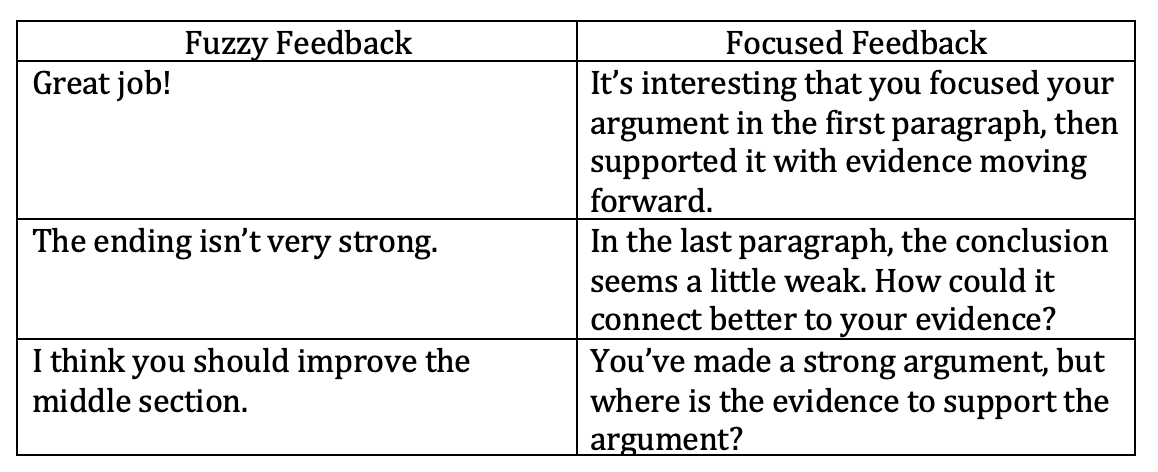
Feedback should be specific, clear, and accurate. Specificity and clarity are crucial; without it, students do not have a clear picture as to what they can and cannot do. For example, it isn’t helpful to simply tell students, “You did a good job with your writing. Keep it up.” The students don’t understand what they did to make the writing “good,” so they don’t know what to do next time.
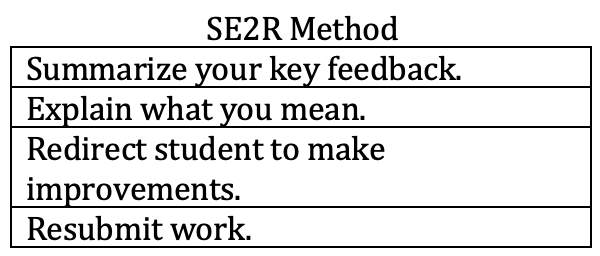
Be Clear About Your Purpose
Sometimes students don’t understand why we are providing feedback. Mark Barnes, in Assessment 3.0, provides a simple method for explaining feedback.
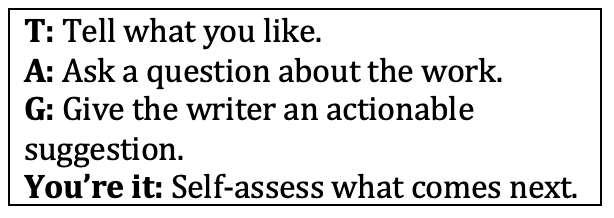
TAG, You’re It
It’s also important to provide structure for students to give peer feedback. In Standards-Based Learning in Action, Tom Schimmer, Garnet Hillman and Mandy Stalets offer “TAG, You’re It,” which is a great option for working with peer feedback.
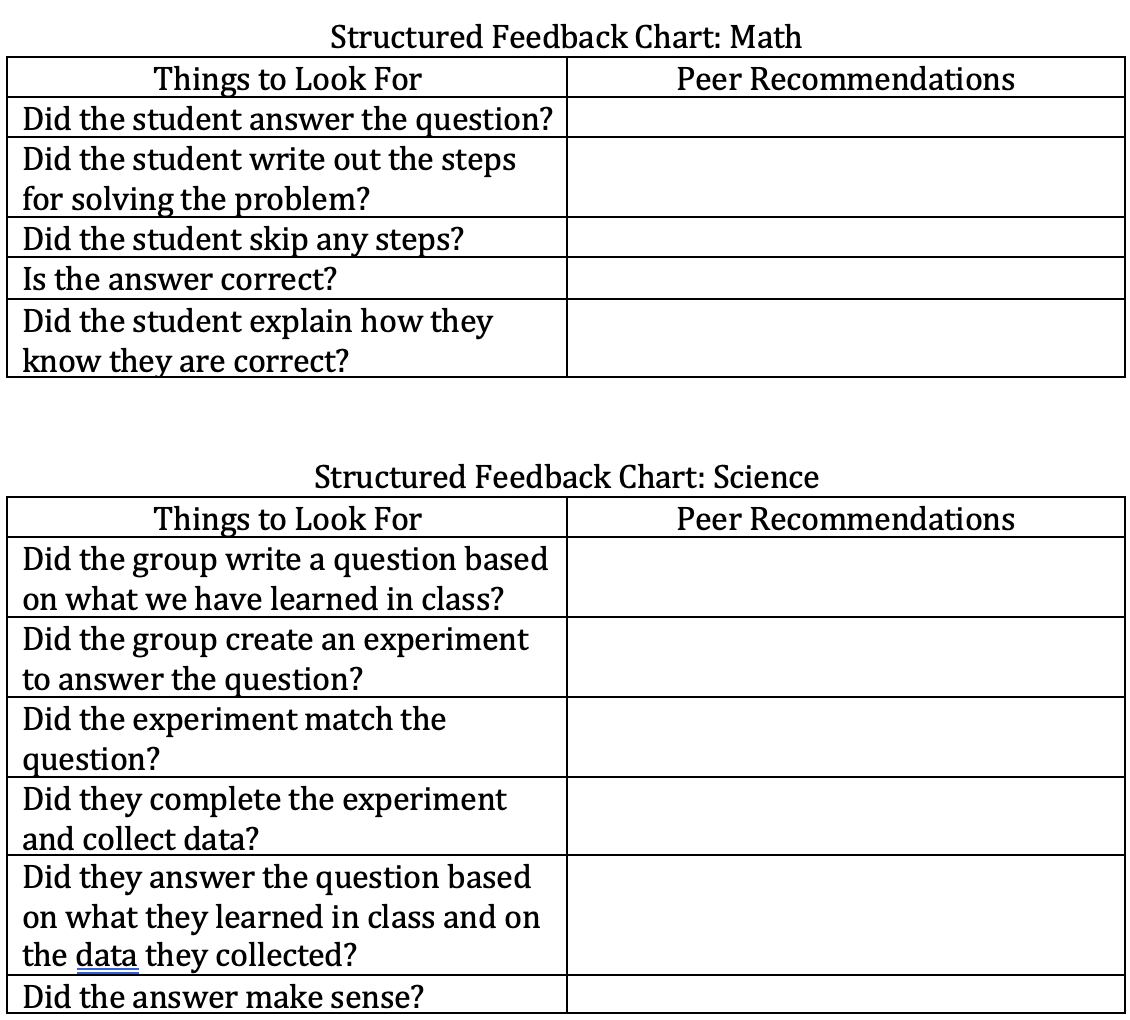
Structured Feedback Chart
You’ll also want to be more specific with some feedback. I like to use content-specific feedback prompts to help ensure students can give effective feedback to their peers.
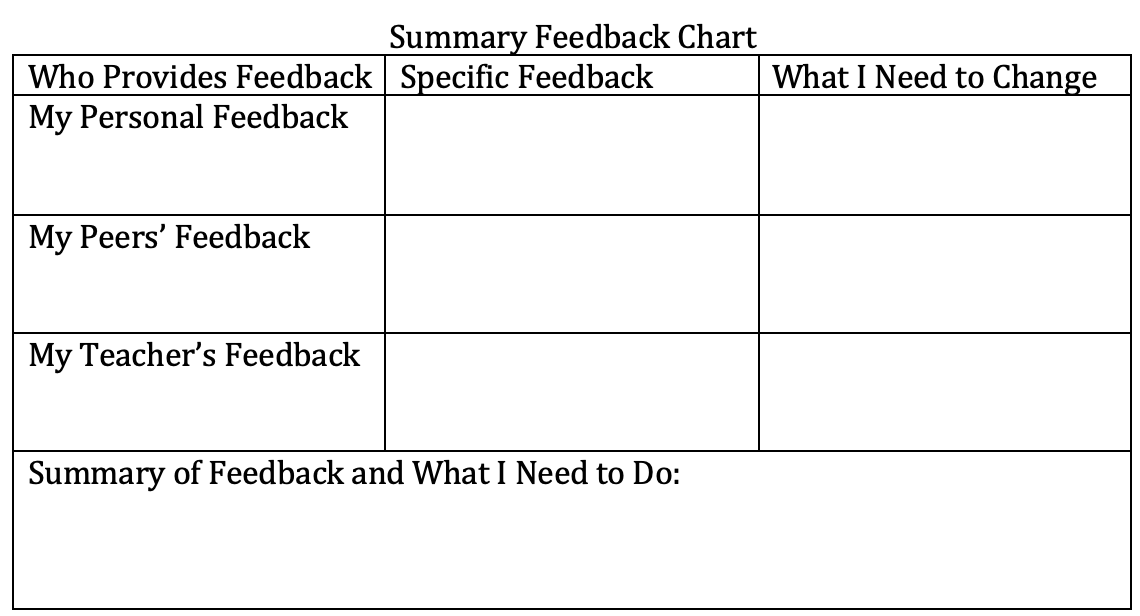
Summary Feedback
When students are receiving a variety of feedback, they need a way to synthesize the information. This chart provides a way to do that when they have their own feedback, peer feedback, and feedback from the teacher.
Using Technology to Provide Feedback: Text Expanders
With the appearance of so many new digital tools, providing feedback can be more time-efficient than ever before. One of the best time-saving strategies Missy, Melissa Miles, M.Ed., a middle school Language Arts teacher, has used in her classroom is text expanders. A text expansion tool utilizes keyboard shortcuts or shortened forms to substitute recurring typing with phrases, sentences or text blocks. Missy can create frequent comments for student feedback so that she does not have to type the same feedback over and over. Links to helpful tutorial videos, anchor charts, or class notes can be included for students to easily access. These work great with Google Docs! For example: “/cap” becomes “capitalization error.”
Check the rules for capitalization of proper nouns: https://drive.google.com/file/d/11mdfEPRxahLamqBF3laFvlNXVoDVjVnc/view?usp=sharing
Using Technology to Provide Feedback: Class Companion
Similarly, teachers can now use artificial intelligence to help students receive immediate individualized feedback. After simply copying and pasting your assignment content directly into the Class Companion, you have the option to attach images and choose from existing standards-aligned rubrics or develop your own. Teachers also determine the number of attempts students can make to submit the correct answer. Once ready, they click the publish button, and the assignment will be made available to students.
While working on the assignment, students can utilize the AI coaching tool for questions and assistance. This AI is specifically designed to differentiate between genuine questions regarding the task and efforts to obtain answers without understanding. Its main objective is to support students in developing critical thinking skills and effectively engaging with the assignment while providing appropriate levels of help. The feedback received from AI becomes a dialogue of sorts that coaches students to improve their writing without doing it for them. While this could never suffice for the final human evaluation, it is an excellent way for students to receive frequent, timely feedback that one teacher couldn’t possibly provide to 100 students in a single class period.
A Final Note
Feedback can be effective to help students learn, but only if you plan it and help students learn to provide it. Using a variety of options and graphic organizers can help you use feedback in a way that helps students learn.